
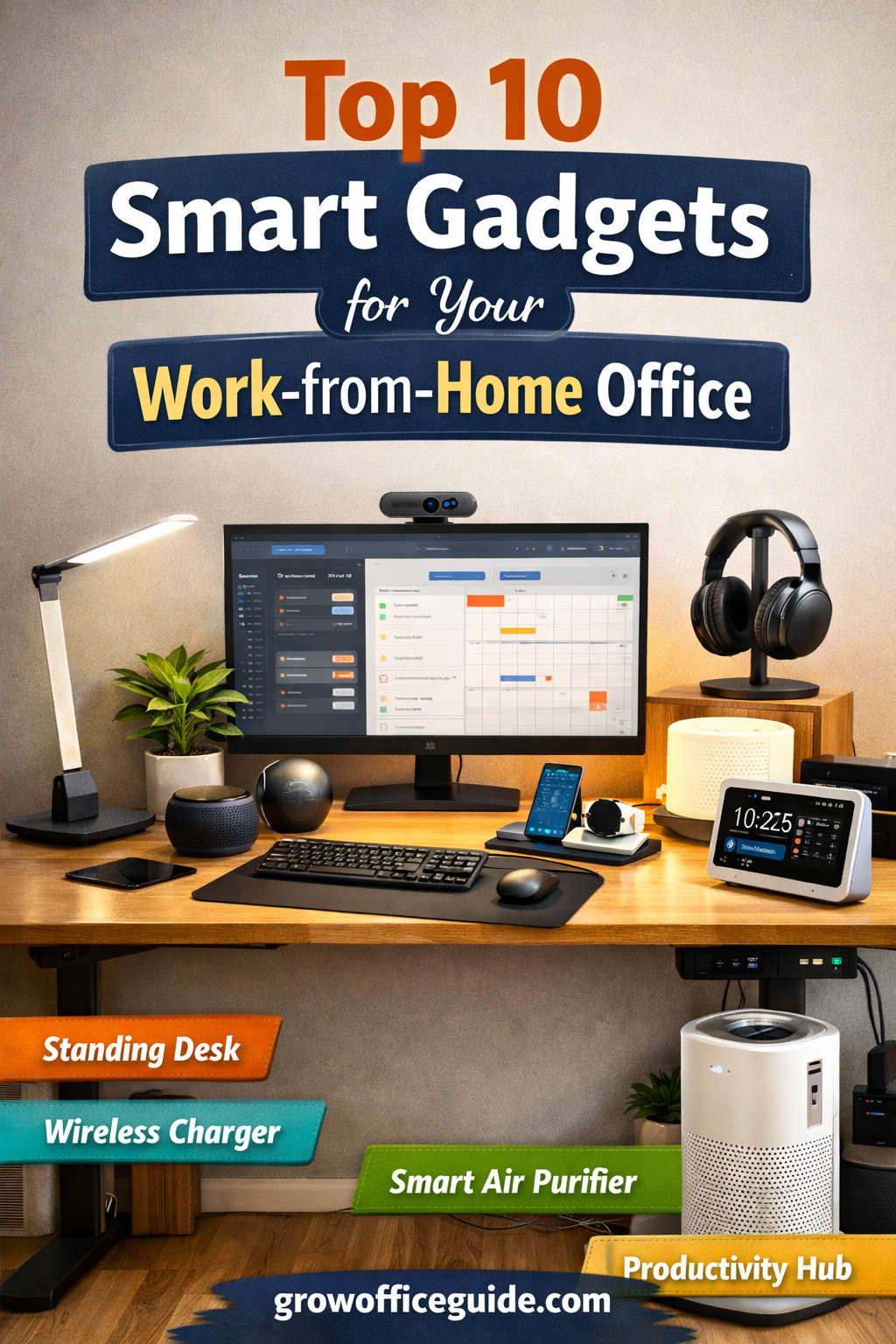
Working from home is no longer a temporary arrangement—it has become a permanent lifestyle for millions of professionals worldwide. Whether you are a remote employee, freelancer, content creator, or online business owner, your home office plays a direct role in how productive, comfortable, and motivated you feel every single day.
A poorly equipped workspace leads to distractions, fatigue, poor posture, and reduced efficiency. On the other hand, a thoughtfully designed smart work-from-home office can dramatically improve your focus, health, and overall work performance.
Smart gadgets are no longer luxury items. They are practical tools designed to automate tasks, reduce friction, and create an environment that supports long hours of focused work. In this guide, we’ll explore the top 10 smart gadgets for your work-from-home office, explain why each one matters, recommend reliable product options, and help you decide which upgrades are truly worth your money.
Why Smart Gadgets Matter in a Home Office
Before diving into the gadgets themselves, it’s important to understand why smart technology has become essential for remote workers.
Unlike traditional offices, home environments come with distractions—noise, poor lighting, limited space, and inconsistent routines. Smart gadgets solve these problems by adapting to your habits, automating repetitive tasks, and improving ergonomics.
A well-equipped smart office helps you:
- Stay focused for longer periods
- Reduce physical strain and fatigue
- Save time through automation
- Maintain professional standards during virtual meetings
- Create better boundaries between work and personal life
Now let’s look at the most impactful smart gadgets you can add to your work-from-home setup.
1. Smart Standing Desk
A smart standing desk is the foundation of a healthy home office. Sitting for long hours can lead to back pain, neck stiffness, poor circulation, and reduced energy levels. A standing desk allows you to alternate between sitting and standing throughout the day.
Smart standing desks take this a step further by offering programmable height settings, smooth motorized adjustments, and app-based reminders that encourage movement.
Key Benefits
- Reduces back and neck pain
- Improves posture and circulation
- Encourages movement during long work sessions
- Adapts to multiple users or seating preferences
Recommended Smart Standing Desk Options
- Fully Jarvis Electric Standing Desk
- FLEXISPOT Z8 Luxe Oval Leg Gaming Standing Desk
- Secretlab Magnus Pro Smart Desk
Practical Tip
Set two height presets—one for sitting and one for standing—and switch positions every 30 to 45 minutes for optimal comfort.
2. Noise-Cancelling Smart Headphones
Home offices are rarely silent. Traffic noise, family conversations, appliances, or neighborhood sounds can break concentration and disrupt meetings. Noise-cancelling headphones are one of the most powerful productivity tools for remote workers.
Smart models use active noise cancellation technology and integrate with voice assistants, allowing you to manage calls, music, and reminders hands-free.
Key Benefits
- Blocks background noise during meetings
- Improves focus during deep work
- Enhances audio quality for calls and media
- Creates a mental “work zone” at home
Recommended Headphones
Practical Tip
Use noise-cancelling headphones even when not listening to music. Silence itself can significantly improve concentration.
3. Smart Desk Lamp with Adaptive Lighting
Lighting has a direct impact on eye strain, mood, and productivity. Poor lighting causes headaches and fatigue, especially during long screen sessions. A smart desk lamp allows you to adjust brightness and color temperature throughout the day.
Adaptive lighting mimics natural daylight patterns—cooler tones in the morning for alertness and warmer tones in the evening for relaxation.
Key Benefits
- Reduces eye strain and headaches
- Improves focus and alertness
- Supports healthier sleep patterns
- Saves energy with automation
Recommended Smart Desk Lamps
- BenQ ScreenBar Halo
- Xiaomi Mi Smart LED Desk Lamp Pro
- Philips Hue Play Light Bar
Practical Tip
Position your desk lamp slightly to the side of your monitor to reduce glare and reflections.
4. Smart Webcam with Auto-Framing
Virtual meetings are now a daily reality. A low-quality webcam can make you look unprofessional, poorly lit, or out of focus. Smart webcams use AI features such as auto-framing, face tracking, and light correction to deliver a polished appearance.
Key Benefits
- Professional video quality for meetings
- Automatic framing when you move
- Better performance in low light
- Built-in noise-reducing microphones
Recommended Smart Webcams
Practical Tip
Mount your webcam at eye level for the most natural and engaging appearance during calls.
5. Smart Speaker for Office Automation
A smart speaker acts as a personal assistant in your home office. With simple voice commands, you can set reminders, control lighting, manage your schedule, and even start focus music without touching your keyboard.
Key Benefits
- Hands-free task management
- Voice-controlled reminders and timers
- Smart device integration
- Ambient music and white noise
Recommended Smart Speakers
Practical Tip
Use voice commands to start productivity timers or quick reminders without breaking your workflow.
6. Smart Power Strip or Surge Protector
Home offices often involve multiple devices—monitors, laptops, chargers, printers, lamps, and routers. A smart power strip allows you to control individual outlets remotely and automate power usage.
Key Benefits
- Reduces energy waste
- Protects devices from power surges
- Remote and scheduled control
- Cleaner cable management
Recommended Smart Power Strips
- TP-Link Kasa Smart Power Strip
- Meross Smart Surge Protector
- APC Smart Plug Power Strip
Practical Tip
Schedule non-essential devices to power off automatically after work hours to save energy.
7. Wireless Charging Station or Smart Charging Hub
Cable clutter is one of the biggest enemies of a clean desk. A wireless charging station allows you to charge your phone, earbuds, and smartwatch in one place—without tangled cords.
Key Benefits
- Keeps desk organized
- Charges multiple devices simultaneously
- Reduces cable wear and tear
- Enhances desk aesthetics
Recommended Charging Stations
Practical Tip
Place the charging station slightly behind or to the side of your desk to avoid accidental knocks.
8. Ergonomic Smart Keyboard and Mouse
Typing and clicking for hours can cause wrist pain, shoulder tension, and long-term strain injuries. Ergonomic keyboards and mice are designed to support natural hand positioning and reduce stress on joints.
Smart models also allow device switching and programmable shortcuts.
Key Benefits
- Reduces wrist and shoulder strain
- Improves typing comfort
- Enhances productivity with shortcuts
- Supports multiple devices
Recommended Ergonomic Options
- Logitech MX Keys + MX Master 3S
- Microsoft Sculpt Ergonomic Keyboard
- Keychron Q Pro Mechanical Keyboard
Practical Tip
Adjust keyboard tilt so your wrists remain neutral—not bent upward.
9. Smart Air Purifier for a Healthier Workspace
Air quality directly affects concentration, energy levels, and overall health. Dust, allergens, and indoor pollutants can cause fatigue and irritation, especially in enclosed home offices.
Smart air purifiers monitor air quality in real time and automatically adjust filtration levels.
Key Benefits
- Improves air quality
- Reduces allergens and dust
- Supports better focus and breathing
- Quiet operation during work hours
Recommended Smart Air Purifiers
- Dyson Purifier Cool
- Philips Smart Air Purifier 3000i
- Xiaomi Smart Air Purifier 4
Practical Tip
Keep the purifier near your desk but away from walls for optimal airflow.
10. Smart Productivity Display or Hub
A smart productivity display acts as a command center for your workday. It shows calendars, tasks, reminders, weather, and meeting alerts at a glance—reducing the need to constantly check your phone or computer.
Key Benefits
- Visual task management
- Calendar and reminder integration
- Voice and touch control
- Reduced screen switching
Recommended Productivity Displays
- Amazon Echo Show 8
- Google Nest Hub Max
- Lenovo Smart Display
Practical Tip
Use the display as a dedicated meeting screen while keeping your main monitor focused on work tasks.
How These Smart Gadgets Work Together
The true power of a smart work-from-home office lies in how these gadgets complement each other. Lighting adjusts automatically, reminders keep you on schedule, air quality stays optimal, and your posture improves without conscious effort.
Instead of reacting to discomfort or distractions, your workspace actively supports your productivity.
How to Choose the Right Smart Gadgets for Your Needs
Not everyone needs every gadget. Focus on your specific pain points.
If you experience back pain, prioritize a standing desk and ergonomic peripherals.
If noise is your biggest challenge, invest in premium headphones.
If fatigue and eye strain are common, improve lighting and air quality first.
Start small and upgrade gradually.
Common Mistakes to Avoid When Building a Smart Home Office
- Buying too many gadgets at once without proper setup
- Ignoring ergonomics in favor of aesthetics
- Over-automating notifications and reminders
- Choosing incompatible devices across ecosystems
A smart office should feel simple, not overwhelming.
Final Thoughts
A productive work-from-home office doesn’t happen by accident—it’s built intentionally. Smart gadgets help bridge the gap between comfort and efficiency, allowing you to work better without working longer.
By investing in the right tools, you protect your health, improve focus, and create an environment that supports your professional goals every day.
Start with one or two upgrades, experience the difference, and build your smart office step by step. Your future productivity will thank you.