
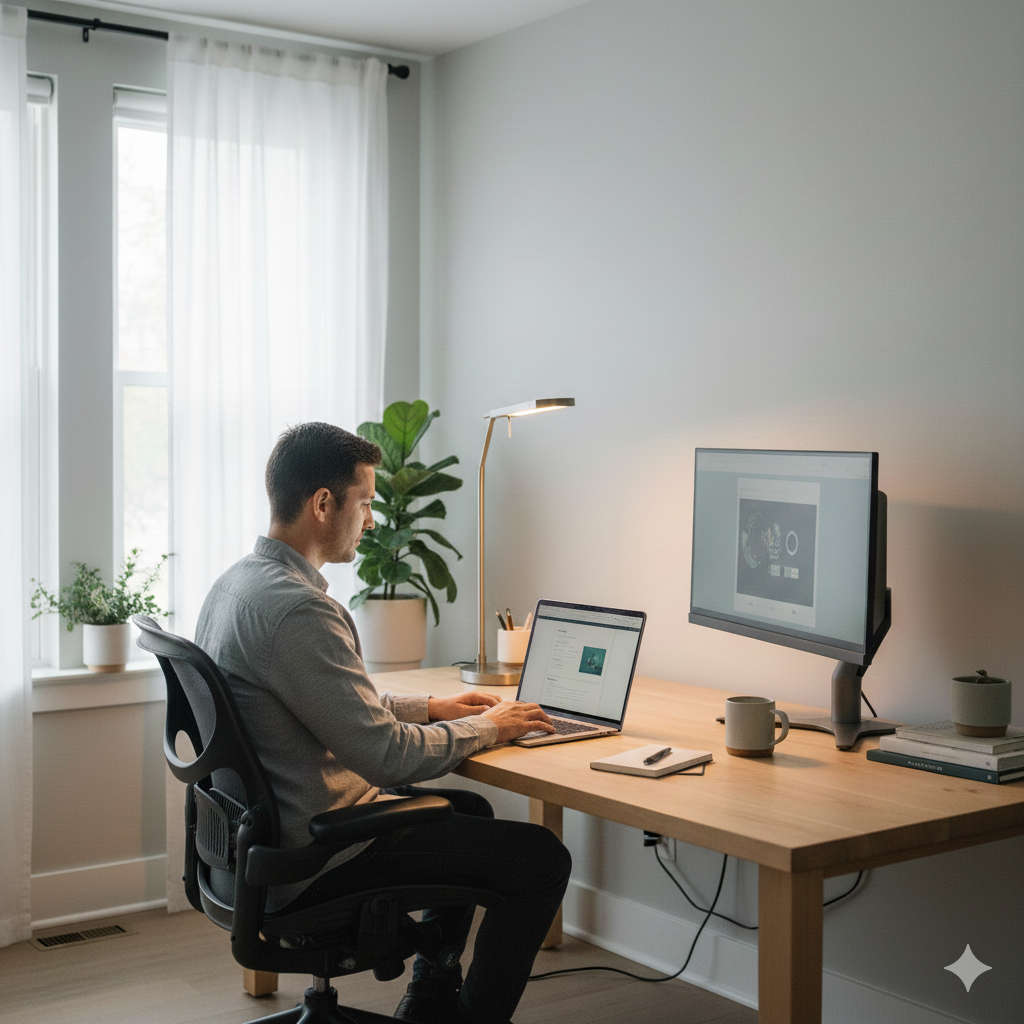
Eye strain has become one of the most common complaints among professionals, students, and remote workers. Long hours spent staring at screens, reading documents, or switching between digital and physical tasks place continuous stress on the eyes. While posture, screen settings, and break habits matter, lighting is often the most overlooked factor—yet it has one of the strongest impacts on visual comfort.
Poor lighting forces the eyes to work harder, leading to symptoms such as headaches, blurred vision, dry eyes, shoulder tension, and mental fatigue. On the other hand, a well-designed lighting setup can dramatically reduce strain, improve focus, and even enhance mood and productivity.
This in-depth guide explores how lighting affects eye health, what types of lighting work best for different work environments, and how to build a practical, comfortable lighting setup that supports long hours of focused work.
Why Lighting Plays a Critical Role in Eye Strain
The human eye is designed to adapt, but constant adaptation is exhausting. When lighting conditions are poor, your eyes must repeatedly adjust pupil size, focus depth, and contrast perception. Over time, this leads to visual fatigue.
Common lighting-related causes of eye strain include:
- Working in dim environments with bright screens
- Harsh overhead lighting that creates glare
- Strong contrast between the screen and surrounding surfaces
- Flickering or low-quality light sources
- Incorrect color temperature for the task or time of day
Good lighting minimizes these stressors. Instead of forcing your eyes to compensate, it supports natural vision and reduces unnecessary effort.
Understanding the Core Principles of Eye-Friendly Lighting
Before choosing lamps or bulbs, it is important to understand the principles that make lighting comfortable rather than fatiguing.
Balanced Brightness
Your workspace should never feel dramatically brighter or darker than your screen. Extreme contrast is one of the biggest contributors to eye strain.
- A bright monitor in a dark room strains the eyes
- A dark screen in a brightly lit room causes squinting
The goal is balance, not maximum brightness.
Even Light Distribution
Lighting should be spread evenly across the workspace. Strong shadows or bright hotspots force the eyes to constantly readjust.
Diffused light is always preferable to direct, concentrated beams.
Minimal Glare and Reflections
Glare occurs when light reflects off screens or shiny surfaces and enters the eyes at harsh angles. It reduces contrast and causes discomfort almost instantly.
Anti-glare positioning and indirect lighting are essential for screen-based work.
Appropriate Color Temperature
Different types of work and different times of day call for different light tones. Color temperature strongly influences alertness, comfort, and circadian rhythm.
Flexibility and Adjustability
No single lighting setting works all day. Adjustable lighting allows you to adapt to changing daylight, task demands, and personal comfort levels.
Types of Lighting and How They Affect Eye Comfort
An effective workspace lighting setup uses layered lighting, combining different types rather than relying on a single source.
Ambient Lighting: The Foundation of Comfort
Ambient lighting provides overall illumination for the room. It sets the baseline brightness level and prevents harsh contrast between the screen and surroundings.
Characteristics of good ambient lighting:
- Soft, diffused output
- Even coverage across the room
- No direct glare on screens or eyes
Best ambient lighting options:
- Ceiling-mounted LED panels with diffusers
- Flush or semi-flush ceiling fixtures
- Floor lamps that bounce light off walls or ceilings
Ambient lighting should never feel harsh or overpowering. Its role is to create a comfortable visual environment, not to spotlight tasks.
Task Lighting: Precision Without Strain
Task lighting focuses light directly on work surfaces such as desks, notebooks, or keyboards. It is especially important for reading, writing, and detailed work.
Why task lighting reduces eye strain:
- Improves visibility without increasing overall room brightness
- Reduces squinting and leaning forward
- Allows localized control for individual needs
Key features to look for in task lighting:
- Adjustable brightness
- Adjustable color temperature
- Flexible arm or head for precise positioning
- Flicker-free LED technology
Task lighting should be positioned to the side of your dominant hand to avoid shadows while writing.
Accent and Bias Lighting: Subtle but Powerful
Accent lighting is often seen as decorative, but it plays a valuable role in visual comfort when used correctly.
Bias lighting—soft light placed behind a monitor—is especially effective. It reduces the contrast between the bright screen and dark background, making screen viewing easier on the eyes.
Examples of helpful accent lighting:
- LED strips behind monitors or desks
- Wall sconces providing indirect light
- Small lamps illuminating dark corners
Accent lighting should always be soft and indirect.
Understanding Lighting Metrics That Impact Eye Strain
Color Temperature (Kelvin Scale)
Color temperature describes how warm or cool light appears.
- Warm light (2700–3000K): Relaxing, best for early mornings and evenings
- Neutral light (3500–4100K): Balanced and comfortable for general work
- Cool light (5000–6500K): Alertness-boosting but potentially fatiguing if overused
For most desk work, neutral light offers the best balance.
Brightness (Lumens and Lux)
Brightness should match the task without overwhelming the eyes.
- General office lighting: moderate brightness
- Reading and detailed work: higher localized brightness
- Screen work: avoid extreme brightness differences
Uniform brightness is more important than raw intensity.
Color Rendering Index (CRI)
CRI measures how accurately colors appear under a light source.
- CRI 80+ is acceptable
- CRI 90+ is ideal for extended work and color-sensitive tasks
Higher CRI reduces subtle visual strain caused by distorted color perception.
Flicker
Even when invisible, flicker can cause headaches and eye fatigue. Always choose high-quality, flicker-free LED lighting designed for work environments.
Natural Light: Using Daylight Without Discomfort
Natural daylight is beneficial, but only when properly managed.
Benefits of Daylight
- Supports circadian rhythm
- Improves mood and alertness
- Provides full-spectrum illumination
Common Daylight Problems
- Screen glare from windows
- Uneven brightness during the day
- Eye strain from direct sunlight
How to Use Daylight Effectively
- Position monitors perpendicular to windows
- Use blinds or curtains to diffuse sunlight
- Combine daylight with artificial lighting for consistency
Daylight should complement, not replace, artificial lighting.
Ideal Lighting Setup for Different Work Environments
Home Office Lighting Setup
A home office often lacks professional lighting design, making eye strain more likely.
Recommended setup:
- Soft ambient ceiling or floor lighting
- Adjustable LED desk lamp for task lighting
- Bias lighting behind the monitor
- Neutral wall colors to reduce reflection
This layered approach provides comfort without over-illumination.
Corporate Office or Shared Workspace
In shared environments, uniformity and individual control are both important.
Effective strategies include:
- Diffused overhead LED panels
- Individual desk lamps for personal adjustment
- Glare-reducing screen placement
- Neutral color temperature lighting
Individual task lighting allows employees to customize comfort without affecting others.
Study Areas and Reading Spaces
For reading-heavy tasks:
- Focused task lighting with warm-neutral tones
- Even ambient lighting to reduce contrast
- Minimal screen glare
Avoid overly cool lighting, which can feel harsh during extended reading sessions.
Recommended Lighting Products for Reducing Eye Strain
While specific brands vary, the following categories consistently support eye comfort:
LED Desk Lamps With Adjustable Color Temperature
Look for lamps that allow switching between warm, neutral, and cool light, with smooth dimming controls.
Best for:
- Desk work
- Reading and writing
- Evening screen use
Flicker-Free LED Ceiling or Panel Lights
High-quality panels with diffusers provide uniform ambient lighting.
Best for:
- Home offices
- Corporate workspaces
- Long working hours
Monitor Bias Lighting Kits
Soft LED strips mounted behind monitors reduce contrast and visual fatigue.
Best for:
- Screen-intensive work
- Low-light environments
Smart Lighting Systems
Smart bulbs and lamps allow automated adjustment based on time of day.
Best for:
- Long workdays
- Maintaining circadian rhythm
- Personalized comfort
Lighting and Screen Settings: Working Together
Lighting alone cannot prevent eye strain if screen settings are ignored.
Match Screen Brightness to Room Lighting
Your screen should never appear dramatically brighter than its surroundings.
Use Warm or Night Modes in the Evening
Reducing blue light in the evening helps both eye comfort and sleep quality.
Maintain Proper Viewing Distance
Keep screens about an arm’s length away and slightly below eye level.
Daily Habits That Support Eye Comfort
Lighting works best when combined with healthy visual habits.
- Follow the 20-20-20 rule
- Blink consciously during screen use
- Keep screens clean to reduce glare
- Take short breaks from intense visual tasks
Lighting Adjustments Throughout the Day
Your lighting should evolve as the day progresses.
- Morning: Slightly brighter, cooler light for alertness
- Midday: Balanced neutral light
- Evening: Warmer, dimmer lighting to reduce strain
Dynamic lighting supports both productivity and long-term eye health.
Common Lighting Mistakes to Avoid
- Working in complete darkness with a bright screen
- Using only overhead lighting
- Placing lamps directly behind or in front of screens
- Choosing the brightest bulb available without diffusion
- Ignoring glare from windows or reflective surfaces
Avoiding these mistakes alone can significantly reduce eye strain.
Final Thoughts: Building a Healthier Visual Workspace
Reducing eye strain is not about buying the most powerful light or copying someone else’s setup. It is about creating balance, flexibility, and visual harmony.
The most effective lighting solutions:
- Combine ambient, task, and accent lighting
- Reduce glare and harsh contrast
- Adapt to time of day and task type
- Support natural vision rather than forcing adaptation
With thoughtful lighting choices, your workspace can become not only more comfortable but also more productive and sustainable for long-term eye health.