
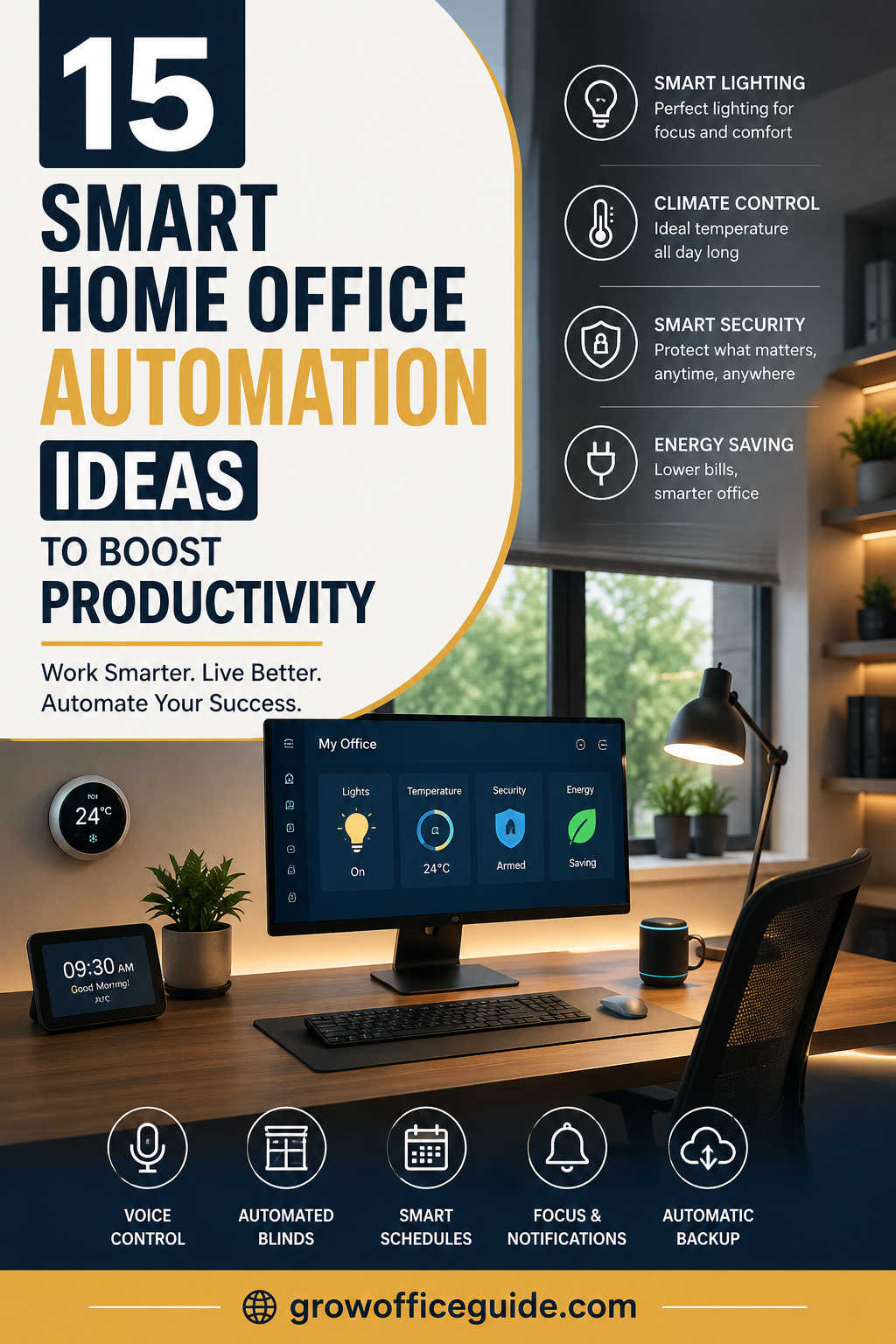
Working from home has evolved from a temporary trend into a long-term reality for millions of professionals. Whether you’re running a business, freelancing, attending virtual meetings, or managing a remote team, your workspace plays a significant role in your productivity and overall well-being.
One of the most effective ways to improve your work environment is through smart home office automation. Instead of manually adjusting lights, controlling room temperature, switching devices on and off, or managing repetitive daily tasks, automation allows technology to handle these processes for you. The result is a workspace that is more comfortable, efficient, secure, and better suited to your daily routine.
The best part is that creating a smart office doesn’t require an expensive renovation or advanced technical knowledge. With a few carefully selected smart devices and well-designed automation routines, you can transform an ordinary home office into a workspace that helps you stay focused and organized every day.
What Is Smart Home Office Automation?
Smart home office automation is the process of connecting devices, sensors, and software so they work together automatically based on schedules, voice commands, occupancy, or environmental conditions.
Rather than controlling every device individually, automation allows your office to respond intelligently to your habits. Your lights can turn on when you enter the room, your thermostat can adjust before you begin work, and your computer accessories can power down automatically after office hours.
The goal isn’t simply adding more technology. Instead, it’s creating a workspace that removes small daily distractions, allowing you to spend more time on meaningful work.
Why Smart Office Automation Is Worth Considering
Many people associate automation with convenience, but its benefits extend much further.
A well-planned automated workspace reduces repetitive tasks, minimizes interruptions, improves energy efficiency, and creates a more comfortable environment throughout the workday. Small improvements—such as automatic lighting adjustments or scheduled power management—can make a noticeable difference over weeks and months.
Automation can also support healthier work habits. Features like scheduled standing desk reminders, automatic lighting changes that reduce eye strain, and climate control contribute to greater comfort during long working sessions.
For professionals working with sensitive information, smart security systems add another valuable layer of protection without creating additional work.
Automate Your Lighting for Better Focus
Lighting has a direct impact on concentration, mood, and eye comfort.
Instead of relying on traditional switches, smart lighting systems automatically adjust brightness and color temperature throughout the day. Cooler white lighting can help improve alertness during working hours, while warmer tones create a more relaxing atmosphere as the workday comes to an end.
Motion sensors add another level of convenience by turning lights on when you enter the office and switching them off when the room is empty. Besides improving comfort, this also helps reduce unnecessary energy consumption.
If your workspace receives plenty of natural sunlight, automation can balance indoor lighting throughout the day, reducing glare while maintaining consistent brightness.
Create an Intelligent Climate-Controlled Workspace
Temperature can significantly influence productivity. A room that’s too warm often leads to fatigue, while a cold workspace can make it difficult to stay comfortable.
Smart thermostats solve this problem by learning your daily schedule and automatically adjusting heating or cooling before you begin working. Instead of constantly changing settings throughout the day, your office maintains an ideal working environment with minimal effort.
You can also automate air purifiers, humidifiers, fans, and portable heaters to maintain healthy indoor air quality and comfortable humidity levels year-round.
Build a Hands-Free Office with Voice Control
Voice assistants have become valuable productivity tools for modern home offices.
Rather than interrupting your workflow to adjust settings manually, you can simply ask your smart assistant to control lighting, change the temperature, start a timer, launch music, or even remind you about upcoming meetings.
Voice automation becomes particularly useful during video calls or when you’re deeply focused on important tasks, allowing you to manage your environment without leaving your desk.
Design a Productive Morning Routine
One of the biggest advantages of automation is creating routines that prepare your office before you even sit down.
Imagine walking into your workspace each morning to find the lights already adjusted, blinds opened to let in natural light, the room at a comfortable temperature, your coffee ready, and your work computer beginning its startup sequence.
These small automated actions eliminate repetitive tasks and create a smoother transition into focused work.
Reduce Energy Waste with Smart Power Management
Office equipment often continues consuming electricity long after the workday ends.
Smart plugs and intelligent power strips allow you to schedule devices so they automatically shut down during evenings, weekends, or whenever they’re not being used.
Monitors, printers, speakers, chargers, and other accessories can all follow customized schedules. Besides lowering electricity costs, this approach helps extend the lifespan of your electronic devices by reducing unnecessary operating time.
Improve Natural Light with Automated Blinds
Natural light helps improve mood and reduce dependence on artificial lighting.
Smart blinds automatically respond to the time of day or changing weather conditions. They can open in the morning to maximize daylight, partially close during periods of intense sunlight to reduce screen glare, and close completely in the evening for additional privacy.
Combined with smart lighting, automated blinds help maintain consistent illumination throughout the day while supporting better energy efficiency.
Strengthen Home Office Security
For remote professionals, a home office often contains valuable equipment and confidential business information.
Smart security solutions make it easier to monitor and protect your workspace. Features such as smart door locks, indoor cameras, motion sensors, and video doorbells allow you to keep an eye on your office whether you’re working at home or away.
Real-time alerts provide peace of mind by notifying you immediately if unusual activity is detected.
Simplify Virtual Meetings Through Automation
Remote meetings have become part of everyday work, and automation can make them much smoother.
You can create meeting routines that activate automatically based on your calendar. When it’s time for a scheduled video call, your office can switch on optimal lighting, close blinds to reduce glare, silence unnecessary notifications, and launch your preferred meeting application.
Instead of spending valuable minutes preparing your workspace before every meeting, everything is ready when you need it.
Improve Indoor Air Quality Automatically
A productive office isn’t just about technology—it’s also about creating a healthy environment.
Smart air quality sensors continuously monitor humidity, carbon dioxide levels, airborne particles, and indoor pollutants. When necessary, they automatically activate air purifiers or ventilation systems to improve air quality.
Better air circulation contributes to improved concentration, reduced fatigue, and a more comfortable workspace throughout the day.
Automate Data Protection
Your files are among your most valuable business assets.
Instead of relying on manual backups, automated backup systems continuously save important documents to secure cloud storage or external drives. This ensures that projects remain protected against accidental deletion, hardware failure, or unexpected system crashes.
Setting up automatic backups once can save countless hours and prevent costly data loss in the future.
Minimize Distractions with Smart Notifications
Digital distractions can quickly interrupt productive work.
Automation tools allow you to enable focus modes during working hours, silence non-essential notifications, prioritize important contacts, and temporarily block unnecessary alerts.
These small changes help create longer periods of uninterrupted concentration while ensuring you remain available for truly important communications.
Support Better Health with Ergonomic Automation
A productive office should also encourage healthy working habits.
Smart standing desks can remind you to alternate between sitting and standing throughout the day. Automated reminders for stretching, hydration, and short movement breaks help reduce fatigue during long work sessions.
Combined with adaptive lighting and climate control, these automations contribute to a healthier and more sustainable work routine.
Choosing Smart Devices for Your Home Office
When building an automated office, it’s easy to become overwhelmed by the number of available products. Rather than purchasing every smart gadget on the market, focus on devices that solve specific problems in your daily workflow.
For most home offices, a smart lighting system is an excellent starting point because it offers immediate improvements in both comfort and energy efficiency. Adding a smart thermostat and a few smart plugs can further streamline your workspace by automating temperature control and power management.
As your needs grow, you may consider expanding your setup with automated blinds, indoor security cameras, air quality monitors, motion sensors, or voice-controlled smart speakers. Choosing devices that work within the same smart home ecosystem will simplify setup and improve long-term reliability, making it easier to create powerful automation routines without unnecessary complexity.
Best Practices for Building a Smarter Workspace
Successful automation doesn’t happen overnight. Begin with a few simple routines that address your biggest frustrations, then gradually expand your system as you become more familiar with the technology.
It’s equally important to keep all smart devices updated with the latest firmware and secure them using strong passwords and multi-factor authentication whenever possible. Reliable security practices help protect both your devices and your personal information.
Remember that automation should simplify your work, not complicate it. Regularly reviewing your routines ensures they continue supporting your changing work habits rather than creating unnecessary distractions.
The Future of Smart Home Office Automation
Artificial intelligence is rapidly changing how automated workspaces operate.
Future smart offices will become increasingly proactive, learning your routines, predicting your preferences, optimizing energy consumption, and adapting your environment without requiring constant input. AI-powered assistants will become better at understanding context, helping professionals stay organized while reducing repetitive administrative tasks.
As these technologies continue to evolve, smart home offices will become more personalized, more efficient, and even better equipped to support long-term remote work.
Final Thoughts
Smart home office automation is no longer reserved for technology enthusiasts or luxury homes. It has become a practical investment for anyone who wants to work more efficiently while creating a comfortable, organized, and secure environment.
The most successful automated workspaces aren’t necessarily filled with the latest gadgets. Instead, they use technology strategically to eliminate repetitive tasks, improve focus, conserve energy, and support healthier work habits.
Start with a few simple automations that solve real problems in your daily routine, then expand your setup over time. With thoughtful planning, your home office can become a workspace that works alongside you—helping you stay productive, comfortable, and prepared for the demands of modern remote work.