
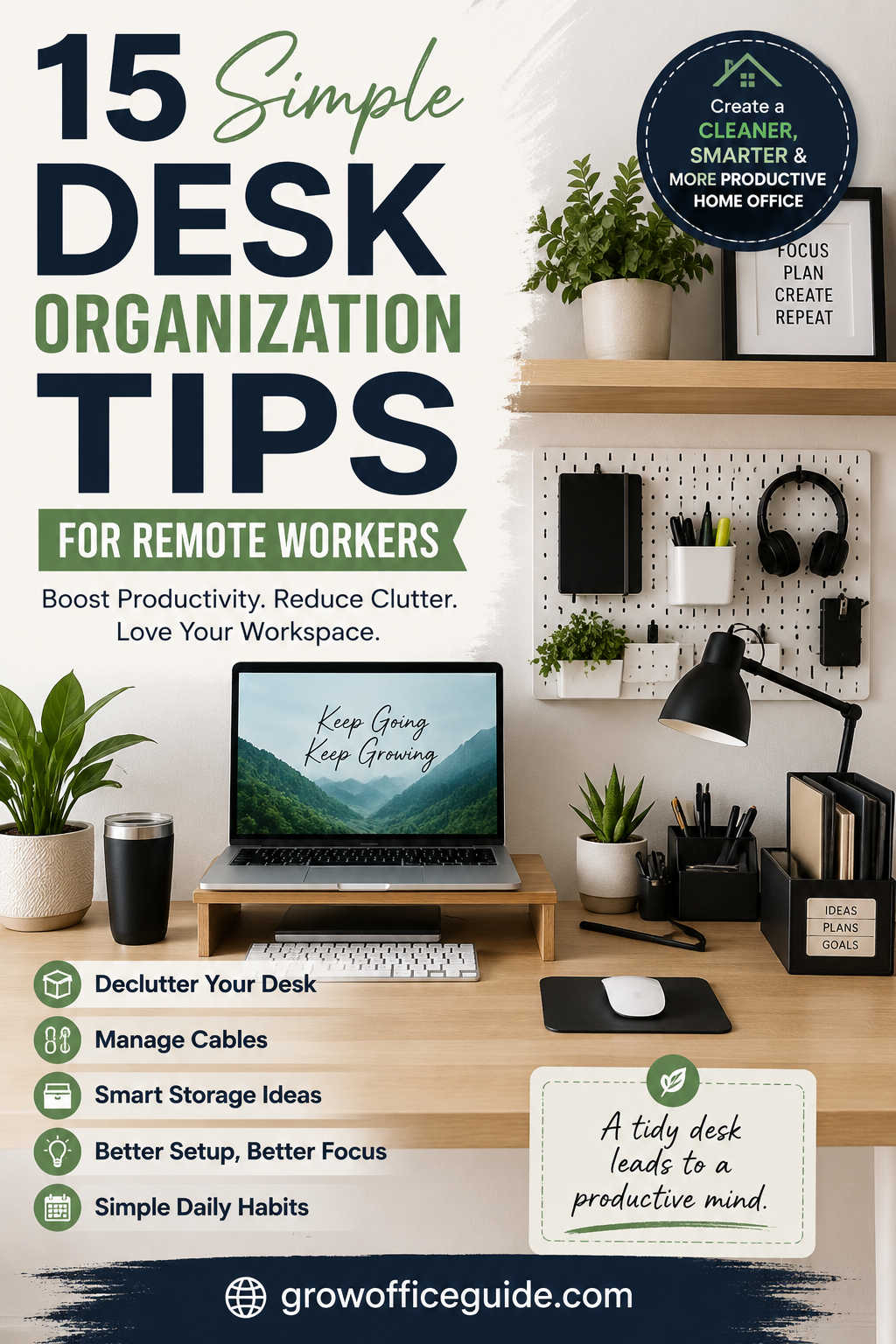
Working remotely gives you the freedom to design your ideal workspace, but that flexibility also comes with responsibility. Without an organized desk, it’s easy for paperwork, cables, coffee mugs, and office supplies to pile up until they become distractions. Over time, even minor clutter can interrupt your workflow, make it harder to find important items, and reduce your overall productivity.
The good news is that creating an organized workspace doesn’t require a complete office makeover or expensive furniture. A few intentional changes—combined with consistent habits—can transform almost any desk into an efficient, comfortable place to work.
In this guide, you’ll discover practical desk organization tips for remote workers, learn how to maximize small workspaces, and explore smart accessories that genuinely improve your daily workflow.
Why Desk Organization Matters for Remote Work
Your desk influences more than just how your workspace looks. It directly affects how efficiently you work, how easily you concentrate, and even how you feel throughout the day.
When your desk is cluttered, your brain has to process more visual information, making it harder to stay focused. Searching for misplaced chargers, notebooks, or documents interrupts your concentration and wastes valuable time.
An organized workspace helps you:
- Stay focused for longer periods
- Reduce unnecessary distractions
- Find supplies quickly
- Improve posture through better equipment placement
- Create a professional background for video meetings
- Make cleaning and maintenance much easier
For many remote workers, desk organization becomes one of the simplest ways to improve productivity without changing their workload.
Begin with a Complete Workspace Reset
Before purchasing organizers or rearranging furniture, clear everything off your desk. Starting with a blank surface makes it much easier to decide what actually deserves space in your daily work area.
As you sort through your belongings, ask yourself one simple question: Do I use this every workday?
Items you rely on daily should stay close by. Supplies you only use occasionally can move into drawers or nearby storage, while anything broken, outdated, or unnecessary should be recycled or discarded.
Many people discover they already have enough storage—they simply have too many items occupying valuable desk space.
Keep Only Your Daily Essentials Within Reach
One of the biggest causes of desk clutter is treating the workspace like a storage shelf.
Your desktop should support your current tasks, not hold every office supply you own.
A clean remote work desk typically includes only the essentials:
- Computer or laptop
- Keyboard and mouse
- Notebook or planner
- Water bottle
- One or two pens
- Headphones used during meetings
Everything else can live in drawers, cabinets, or shelves nearby. This simple habit immediately creates more working space and reduces visual distractions throughout the day.
Make Better Use of Vertical Space
If your desk feels crowded, the problem may not be its size—it may be how you’re using the available space.
Instead of spreading everything across the desktop, take advantage of the wall above it. Floating shelves, pegboards, wall organizers, and monitor risers create additional storage without increasing your desk’s footprint.
Vertical storage works particularly well in apartments and small home offices where floor space is limited. Frequently used supplies remain accessible while the work surface stays clear for the tasks that matter most.
Organize Cables Before They Become a Problem
Cable clutter is one of the quickest ways for an otherwise tidy workspace to look messy.
Power cords, monitor cables, phone chargers, and USB accessories often become tangled because they don’t have designated routes. Besides looking untidy, tangled cables collect dust, make cleaning difficult, and can accidentally become unplugged while moving equipment.
Simple cable management tools such as Velcro ties, adhesive cable clips, under-desk cable trays, and cable sleeves keep cords grouped together and out of sight.
Labeling similar charging cables can also save time. Instead of unplugging devices to discover which cable belongs to which gadget, you’ll immediately know what’s connected.
If you’re upgrading your workspace, wireless accessories like Bluetooth keyboards and mice can further reduce cable clutter.
Create Functional Storage Instead of Hidden Clutter
Storage isn’t just about hiding items—it should help you find them quickly.
Drawers often become catch-all spaces where office supplies disappear. Adding inexpensive drawer dividers creates dedicated compartments for pens, charging cables, USB drives, sticky notes, and adapters.
For larger equipment, rolling storage carts or compact filing cabinets work well because they keep supplies close without crowding your desk.
Every item should have a permanent home. Once you know exactly where something belongs, tidying your workspace becomes a matter of seconds rather than minutes.
Arrange Your Desk Around Your Workflow
A well-organized desk reflects how you actually work.
Think about the items you reach for several times each day. Those belong closest to your primary working position.
Less frequently used equipment—such as printers, document folders, or external storage devices—can sit on nearby shelves or cabinets without affecting your productivity.
This approach reduces unnecessary movement and helps create a smoother workflow throughout the day.
Divide Your Workspace into Activity Zones
Professional office designers often organize desks into separate work zones because it reduces clutter and improves efficiency.
Instead of scattering supplies randomly, assign each area a specific purpose.
For example, your main work zone might contain your computer, keyboard, mouse, and monitor. A writing zone can include your notebook, planner, and pens, while a technology zone houses chargers, docking stations, and external drives.
This simple strategy helps prevent clutter because every item naturally returns to its designated location after use.
Reduce Paper Clutter with a Digital-First Approach
Paper documents accumulate surprisingly quickly, especially when working from home.
Receipts, printed meeting notes, invoices, and delivery slips often remain on desks long after they’re needed.
Whenever possible, scan important documents and store them securely in cloud storage. Digital filing systems make documents easier to search while reducing the need for bulky paper storage.
For paperwork that must remain physical, use clearly labeled folders or a document tray instead of allowing papers to pile up across your workspace.
Improve Ergonomics While Saving Desk Space
Good organization isn’t only about appearance—it should also support comfort during long workdays.
A monitor positioned too low can strain your neck, while a cluttered keyboard area forces awkward wrist positions.
Using a monitor riser or monitor arm raises your display to a more comfortable viewing height while creating valuable storage underneath. That extra space can hold notebooks, docking stations, or even your keyboard when it’s not in use.
Similarly, a laptop stand improves posture while freeing additional room beneath the device.
Better ergonomics and better organization often go hand in hand.
Keep Your Desk Minimal Without Making It Feel Empty
Minimalism doesn’t mean removing every personal item from your workspace.
A thoughtfully organized desk can still feel welcoming.
A small plant, a framed photo, or a favorite notebook adds personality without overwhelming the workspace. The goal is balance rather than emptiness.
If every available surface becomes decorated, your desk quickly starts feeling crowded again.
When choosing decorative items, prioritize objects that make the space more enjoyable without interfering with daily work.
Improve Lighting for Better Focus
Lighting is often overlooked during desk organization, yet it plays a major role in productivity.
Poor lighting causes eye strain, headaches, and fatigue, making it more difficult to stay focused throughout the day.
Whenever possible, position your desk near natural light without placing the monitor directly in front of a window, which can create glare.
An adjustable LED desk lamp provides consistent lighting during early mornings, evenings, or cloudy days. Monitor light bars are another excellent option because they illuminate your workspace without reflecting on the screen.
A well-lit workspace feels cleaner, more inviting, and significantly more comfortable during extended work sessions.
Organize Small Accessories Before They Disappear
Small office accessories tend to create the biggest mess because they’re easy to misplace.
USB drives, memory cards, batteries, SD cards, adapters, and charging cables often end up scattered across drawers unless they’re stored together.
Small storage containers or compartment organizers keep these items visible and easy to locate.
Transparent containers work especially well because you can immediately see what’s inside without opening multiple boxes.
Create a Dedicated Charging Station
Phones, smartwatches, tablets, earbuds, and power banks all need regular charging.
Instead of plugging devices into random outlets around your workspace, designate one charging area.
A charging station keeps cables contained, prevents tangled wires, and ensures every device is fully charged before the next workday begins.
It also reduces the temptation to leave chargers permanently spread across your desk.
Don’t Forget Your Digital Workspace
An organized physical desk should be matched by an organized computer.
A cluttered desktop filled with hundreds of files can be just as distracting as a messy office.
Spend a few minutes each week organizing folders, deleting unnecessary downloads, archiving completed projects, and removing duplicate files.
Keeping your digital workspace organized reduces frustration and makes important documents much easier to find.
Build Daily Habits That Prevent Clutter
The easiest way to maintain an organized workspace is to prevent clutter from building up in the first place.
Before ending each workday, spend just five minutes resetting your desk. Return office supplies to their designated places, recycle unnecessary papers, wipe the desktop, and place devices on their chargers.
This small routine makes the next morning feel much more organized and eliminates the need for major cleaning sessions later.
Similarly, following the “one-minute rule” helps prevent small tasks from becoming large ones. If putting something away takes less than a minute, do it immediately rather than leaving it for later.
Smart Desk Accessories Worth Considering
While organization depends more on habits than products, a few carefully chosen accessories can make maintaining a tidy workspace much easier.
A monitor arm is ideal for remote workers who need additional desk space or frequently adjust screen positions. Laptop stands improve posture while creating storage underneath the device.
Desk organizers are useful for people who regularly use pens, sticky notes, or small office supplies, while cable management boxes hide power strips and excess cords that would otherwise create visual clutter.
If you frequently work late into the evening, an adjustable LED desk lamp is another worthwhile investment because it improves visibility while reducing eye strain.
Rather than purchasing every organizational gadget available, choose accessories that solve specific problems in your workspace.
Desk Organization Tips for Small Home Offices
Working in a compact apartment or shared room doesn’t mean you have to sacrifice organization.
Small spaces simply require smarter planning.
Wall-mounted shelves, foldable desks, stackable storage containers, and multifunctional furniture help maximize every available inch.
Under-desk storage is particularly valuable because it keeps supplies accessible without consuming your limited work surface.
When space is tight, every item should earn its place. Regularly reviewing your workspace and removing unused equipment prevents clutter from gradually returning.
Common Desk Organization Mistakes to Avoid
Many people accidentally create clutter despite their best intentions.
One common mistake is buying organizers before decluttering. Storage products can’t solve the problem of keeping unnecessary items.
Another frequent issue is allowing paperwork to accumulate because “I’ll deal with it later.” Those small piles quickly become overwhelming.
Ignoring cable management, overcrowding the desk with decorative items, and leaving office supplies without designated storage locations also make organization much harder to maintain.
Focusing on simple systems instead of complicated storage solutions usually produces the best long-term results.
Conclusion
An organized desk isn’t about creating a picture-perfect workspace—it’s about building an environment that helps you work comfortably, stay focused, and accomplish more with less stress.
Start by removing unnecessary clutter, then organize the items you use every day into logical, easy-to-reach locations. Improve cable management, make better use of vertical space, and develop a quick daily reset routine to keep your workspace tidy without much effort.
Remember that the best desk organization system is the one you can maintain consistently. Begin with a few small improvements, observe what works best for your workflow, and refine your setup over time. With thoughtful organization and simple daily habits, even a modest home office can become a productive, comfortable place where you enjoy working every day.