
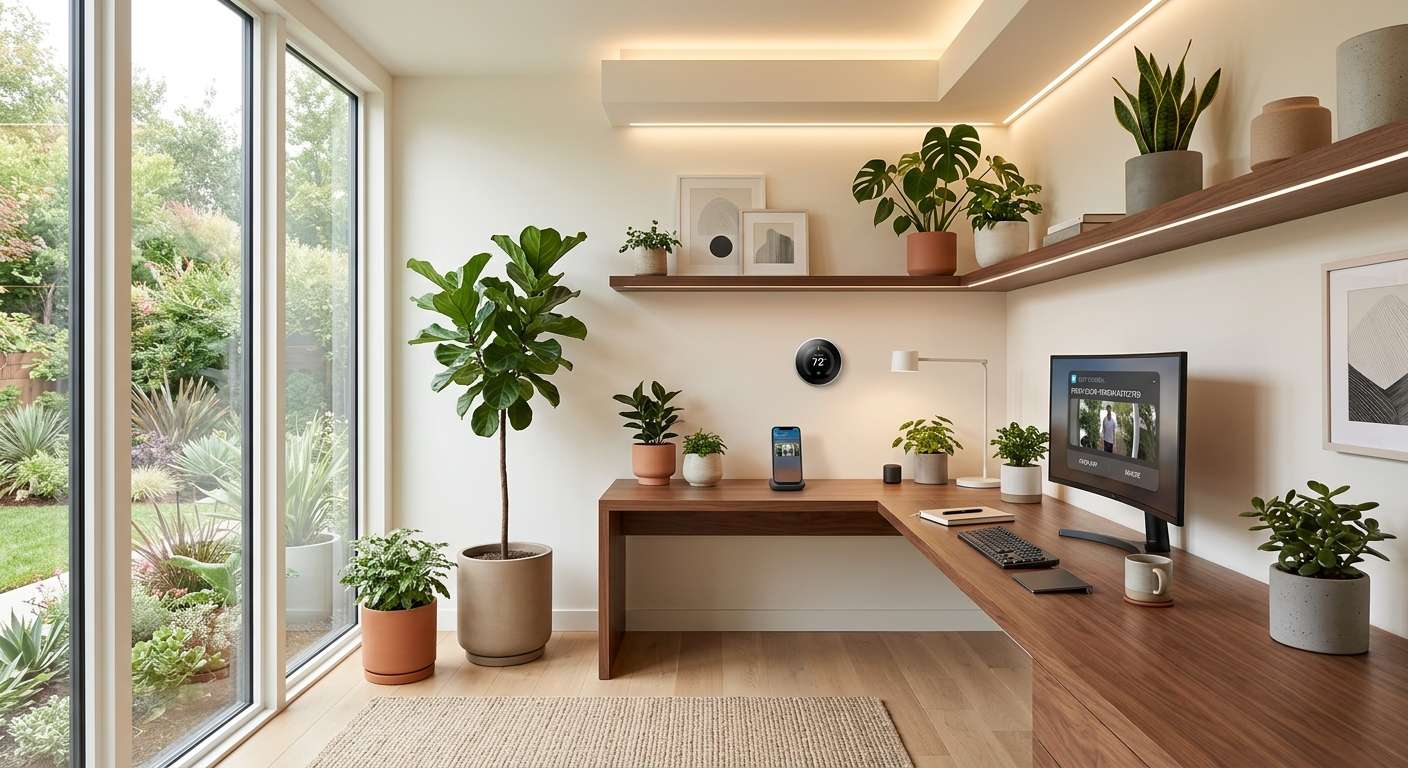
If you work from home, you’ve probably noticed that the house wasn’t really built for this. It was built for evenings and weekends, not eight-hour stretches at a desk with a camera pointed at your face and a Slack notification going off every twenty minutes. Nobody adjusted the lighting for that. Nobody rezoned the thermostat for a room that’s suddenly occupied all day.
That’s the gap smart home devices are actually good at closing. Not by adding more blinking gadgets to your life, but by quietly fixing the specific friction points a traditional office used to handle for you — the glare on your video calls, the room that never quite warms up in time, the doorbell that always rings mid-meeting. Below is a category-by-category look at what’s worth considering, and further down, a straightforward take on when it’s actually worth upgrading versus when you should just leave things as they are.
Smart Lighting: Fixing the Number One Video Call Problem
Bad lighting is probably the single most common thing wrong with home offices, and most people don’t notice it until they see themselves on a recording and wonder why they look tired. Overhead bulbs cast shadows under the eyes. Lamps alone throw everything yellow and dim. Neither does you any favors on a 9 a.m. call.
Smart bulbs and light strips fix this by letting you set the color temperature and brightness to match what you’re actually doing. Cooler, brighter light in the morning keeps you alert; warmer tones later in the day signal your brain that it’s winding down, the same way it would if you were walking out of an office at 6 p.m.
The part that actually saves time day to day is scene automation. A “call mode” that brightens your face the second your calendar shows a meeting starting. A “focus mode” that dims everything except your desk lamp. It sounds small, but not having to fiddle with lighting before every call removes one more thing standing between you and just starting your day.
Noise-Canceling Speakers and Smart Assistants
Whoever you share a home with — a partner, a roommate, a dog with strong opinions about the mail carrier — is now also your open-plan officemate, minus the office. Devices with real noise-canceling microphones, whether that’s a smart speaker doubling as your call setup or a dedicated conferencing hub, filter out the background chaos before it ever reaches whoever’s on the other end of the line.
Smart speakers also end up absorbing a surprising number of small interruptions you’d otherwise handle by picking up your phone: setting a timer between meetings, jotting down a task by voice, checking whether it’s about to rain before a lunchtime walk. None of that sounds important individually. Added up over a week, it’s a meaningful reduction in how often your focus gets broken.
Smart Thermostats for a House That’s Suddenly Occupied All Day
Here’s a problem most people don’t think about until they’re three months into remote work: your thermostat schedule was built for a house that used to be empty from 9 to 5. Now it isn’t, and the old settings just don’t make sense anymore.
A smart thermostat learns the new pattern and adjusts automatically, so your office stays comfortable during working hours instead of running on a schedule designed for a life you don’t have anymore. Some models take it further with room sensors that detect where you’re actually sitting and prioritize that space specifically. It’s a modest upgrade, but a home office that’s too cold by mid-afternoon is a slow, steady drag on how well you can concentrate.
Smart Plugs: The Cheapest Fix on This List
Smart plugs don’t get much attention, probably because they’re the least exciting device you can buy. But they solve a genuinely annoying problem: the multi-step ritual of powering on a monitor, a desk lamp, and a coffee maker every morning before you can actually start working.
Put your desk setup on a smart plug and all of it can turn on with one voice command, one tap, or an automatic schedule tied to your first meeting. It also quietly deals with standby power — devices left half-on overnight for no reason other than nobody unplugged them. If you’re looking for the lowest-cost, lowest-effort entry point into a smarter home office, this is it.
Video Doorbells and Smart Locks for Handling Deliveries Without Losing Focus
Working from home usually means being home for a lot more deliveries, and inevitably, at least one of them shows up mid-call. A video doorbell lets you glance at who’s outside without leaving your desk. A smart lock lets a courier leave a package inside a garage or entryway using a one-time code, so you’re not the one interrupting a meeting to deal with it.
This matters more than it seems on the surface. Every interruption during a workday carries a cost, even the small ones, and being able to handle a delivery without stepping away protects the long, uninterrupted stretches that remote work actually depends on.
Air Quality Monitors: The Category Everyone Skips
Spending eight-plus hours a day in the same room tends to surface air quality issues nobody thought to check for — stuffiness that creeps in by early afternoon, a headache that seems to come from nowhere, a fog that more coffee doesn’t fix. Smart air quality monitors track things like carbon dioxide, humidity, and particulates, and can trigger a paired purifier, vent, or just a reminder to crack a window.
It’s easy to write this category off until you’ve actually tried it. A well-ventilated home office tends to feel noticeably sharper at 4 p.m. than one that’s been sealed shut since morning.
Should You Upgrade? A Practical Breakdown
Not everyone needs every device on this list, and buying all of it at once is usually a waste of money. The better approach is figuring out which specific problem is actually costing you time or focus, then addressing that one first.
If your video calls consistently look dim or washed out, a smart bulb or light strip is worth prioritizing over almost anything else on this list. It’s a low-cost fix for a problem that directly affects how you’re perceived on calls, which matters more for remote workers than it would in person.
If your household is noisy during work hours, upgrading to a speaker or hub with dedicated noise-canceling microphones will do more for your call quality than a better webcam. Most people over-invest in cameras and under-invest in audio, when audio is usually the bigger problem.
If your home office runs hot or cold at inconsistent times, a smart thermostat is worth the investment, especially if you’re still running the same heating and cooling schedule you had before you started working from home. This is less urgent if your current thermostat already lets you set a manual daytime schedule that works.
If your morning routine involves flipping on three or four devices individually, a smart plug is a near-zero-risk upgrade. It’s inexpensive, easy to set up, and solves a real (if minor) daily annoyance.
If deliveries regularly interrupt your calls, a video doorbell is worth it. A smart lock is worth adding on top of that only if you’re getting deliveries frequently enough that manually coordinating drop-offs has become a real hassle, not just an occasional inconvenience.
If you haven’t noticed any afternoon sluggishness or stuffiness, an air quality monitor is probably the one device on this list you can skip — or treat as a diagnostic tool you use once to check, rather than something you need running permanently.
The common thread across all of these: upgrade when a device solves a problem you actually have, not because it’s trending or because the rest of the list looks incomplete without it. A home office built one deliberate fix at a time holds up a lot better than one assembled in a single shopping spree.