
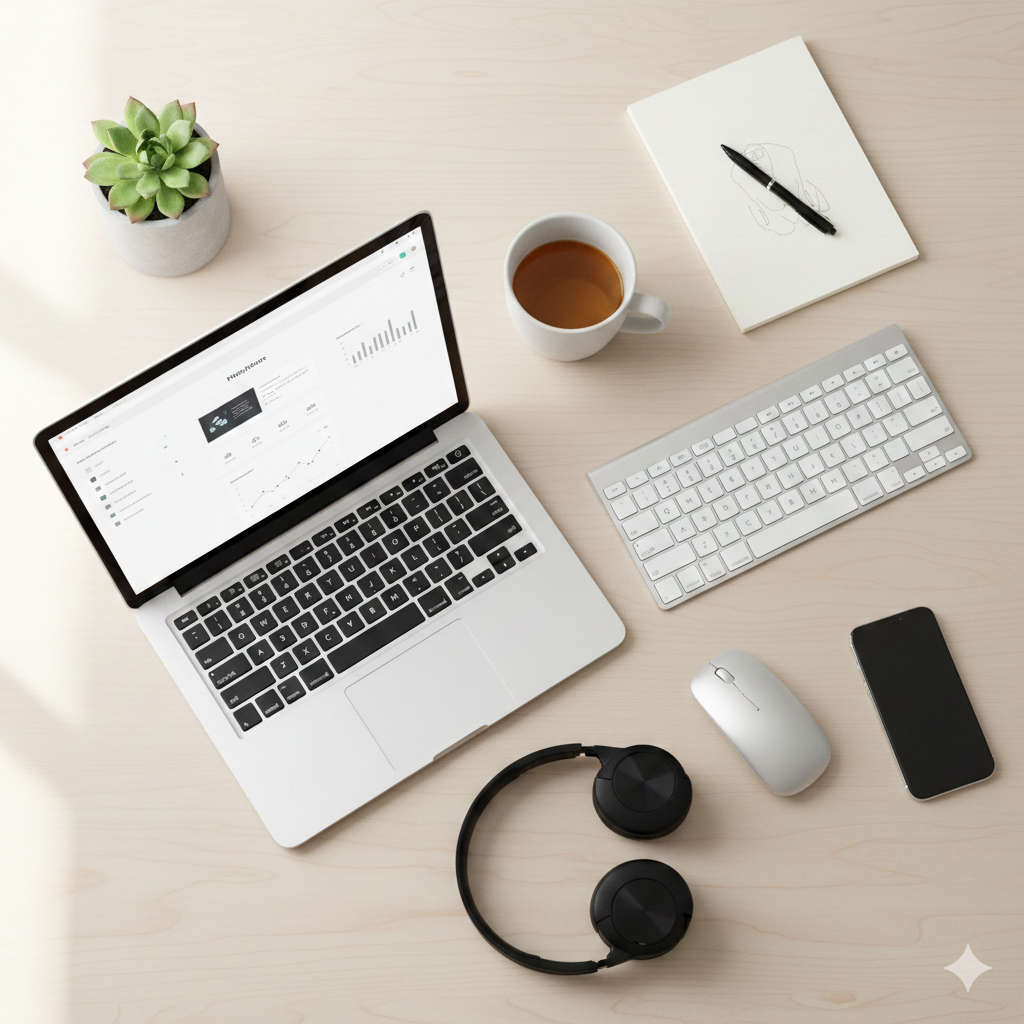
Working from home has transformed from a temporary arrangement into a lifestyle choice for millions of professionals worldwide. As we navigate through 2026, the remote work landscape continues to mature, bringing fresh challenges and exciting opportunities. This guide walks you through everything you need to build a remote work setup that actually works for your life, your budget, and your career goals.
Building Your Home Office: The Hardware Foundation
Let’s start with the physical stuff because, honestly, trying to work on a wobbly table with a laptop that sounds like a jet engine isn’t doing anyone any favors.
Your Main Computer: The Heart of Your Setup
Think about your computer as your most important colleague. You’ll spend hours together every single day, so compatibility matters. For most knowledge workers, a laptop with 16 gigabytes of memory and a current-generation processor handles video meetings, browser tabs, and work applications without breaking a sweat. If you rarely leave home, a desktop computer often delivers more power for less money and stays cooler during intensive tasks.
The key question to ask yourself: what’s the most demanding thing you’ll do regularly? Design work, video editing, and software development need more muscle than email and spreadsheets.
Screen Real Estate That Makes Sense
Here’s something most people don’t realize until they try it: working on a single laptop screen feels cramped once you’ve experienced multiple displays. A large external monitor gives you room to breathe. You can keep your email visible while writing a report, reference a document while on a video call, or compare data side by side without constant window shuffling.
The sweet spot for many people is one main display around 27 inches paired with their laptop screen. Some folks prefer an ultrawide monitor that replaces two separate screens. Whatever you choose, position the top of your screen at or slightly below eye level to avoid neck strain.
Looking and Sounding Professional Online
Your appearance and audio quality on video calls send messages about your professionalism whether you like it or not. Laptop cameras have gotten better, but they still position you at awkward angles and struggle in anything less than perfect lighting. A standalone webcam mounted on top of your monitor puts you at eye level, which feels more natural and confident.
Audio matters even more than video. People will tolerate grainy video, but crackling, echoing, or faint audio makes meetings exhausting. A decent USB microphone or a headset with a boom mic eliminates most audio problems instantly. You don’t need studio-quality equipment, just something that captures your voice clearly without picking up every keyboard click and dog bark.
Furniture That Supports Your Body
This part isn’t exciting, but it’s crucial. A proper office chair costs money upfront and saves you from chronic pain later. Look for adjustable height, lumbar support that actually touches your lower back, and armrests that let your shoulders relax.
Your desk height matters more than you’d think. When you’re typing, your elbows should bend at roughly 90 degrees with your wrists straight. If your desk is too high or too low, you’ll feel it in your shoulders and wrists after a few months. Adjustable desks let you change positions throughout the day, which your body appreciates even if you don’t stand constantly.
Digital Tools That Actually Earn Their Keep
The software landscape for remote work resembles a crowded bazaar where everyone’s shouting about their product being essential. Here’s what actually matters.
Staying Connected With Your Team
Real-time messaging platforms have replaced the office hallway for quick questions and casual conversation. These tools organize discussions by topic, team, or project, which beats email’s chaos. The best platform is usually the one your company already uses because everyone’s already there.
For face-to-face conversations, video conferencing tools have become reliable enough that technical problems are now the exception rather than the rule. Quality varies less between platforms than it used to, so focus on reliability and which features your team actually needs.
Managing Projects Without Losing Your Mind
Keeping track of who’s doing what, when it’s due, and how it all fits together gets complicated fast when you can’t just walk over to someone’s desk. Project management platforms solve this by giving everyone visibility into progress, deadlines, and dependencies.
The right tool depends on your team’s size and how complex your projects are. Smaller teams often prefer simple, visual boards that show tasks moving through stages. Larger organizations need more structure with timelines, resource allocation, and detailed reporting. Don’t overcomplicate this, though. The best system is one people actually use consistently.
Protecting Your Focus Time
Distractions at home differ from office interruptions but they’re just as real. Time tracking software helps you understand where your hours disappear to, which is often surprising. Website blockers temporarily remove temptation during focus sessions. These tools work best when you’re honest about your weak points.
For capturing ideas and information, pick one note-taking system and commit to it. Spreading notes across random documents, emails, and paper makes everything harder to find later. A centralized system with good search functionality becomes your external memory.
Keeping Files Accessible and Safe
Cloud storage has evolved beyond simple file syncing into comprehensive platforms for creating, editing, and collaborating on documents in real-time. Multiple people can work on the same file simultaneously, seeing each other’s changes instantly. This eliminates the nightmare of emailing versions back and forth and trying to merge everyone’s edits.
Choose a system that integrates well with your other tools and has enough storage for your needs without costing a fortune. Automatic syncing across devices means you can start work on your computer, reference something on your phone, and finish on a tablet without thinking about it.
Security That Doesn’t Drive You Crazy
Remote work creates security risks that don’t exist when everyone’s in a protected office network. A virtual private network encrypts your internet connection, which matters when you’re working from coffee shops or airports. Password managers generate and remember complex passwords for every site so you don’t have to reuse the same password everywhere or write them on sticky notes.
Two-factor authentication adds a second check beyond your password, usually a code from your phone. Yes, it’s one more step, but it’s also the difference between a minor inconvenience and a major security breach.
Crafting a Workspace That Works
Your environment shapes your mindset more than most people realize. A thoughtfully designed workspace helps you get into work mode and then leave it behind at the end of the day.
Finding Your Spot
Ideally, dedicate an entire room to work with a door you can close. This physical separation helps your brain distinguish between work time and personal time. Not everyone has a spare room, though, and that’s fine. A consistent corner of a room can work if you’re disciplined about using it only for work.
Avoid making your bed or couch your primary workspace. Yes, it feels comfortable initially, but it undermines your sleep quality and makes it harder to mentally shift gears between work and rest.
Lighting That Doesn’t Strain Your Eyes
Natural daylight boosts mood and makes everything easier to see, so position yourself near a window if possible. The challenge is avoiding glare on your screen while still getting that natural light. Positioning your desk perpendicular to windows usually works better than facing them directly.
Add artificial lighting for early mornings, cloudy days, and evening work sessions. A desk lamp with adjustable brightness gives you control. If you’re on video calls frequently, consider how you’re lit from the front. Lighting from below creates unflattering shadows while lighting from above can make you look tired. Eye-level lighting from the front or slightly above creates the most natural appearance.
Managing Sound in Your Space
Sound issues work both ways: you need to hear clearly during calls, and you need to minimize background noise others hear. Soft materials absorb sound while hard surfaces bounce it around. Curtains, rugs, and upholstered furniture help create better acoustics than bare walls and hard floors.
Noise-canceling headphones block environmental sounds when you need concentration. They’re worth the investment if you live in a noisy area or have household activity happening during your work hours.
Making It Yours
Your workspace should feel inviting, not clinical. Add elements that make you happy to be there: plants, artwork, photos of people you love, or objects with personal meaning. Keep it organized with storage solutions that look good, not just functional plastic bins. A workspace you enjoy occupying makes the daily routine less of a chore.
Building Bulletproof Connectivity
Nothing derails remote work faster than connectivity problems. Invest time upfront in getting this right.
Internet Speed That Keeps Up
Video calls, file uploads, and cloud applications demand reliable bandwidth. Aim for download speeds around 50 megabits per second or higher with upload speeds of at least 10 megabits per second. If your internet frequently lags or drops during important calls, upgrading your plan might be your best productivity investment.
Having a backup option matters more than people think until they need it. A mobile hotspot on your phone can save you during internet outages. Some remote workers maintain a second, cheaper internet plan as pure backup.
Getting the Most From Your Router
Your router’s location affects signal strength throughout your home. Central placement on a higher level works better than tucked in a corner or basement. Keep it away from walls, metal objects, and other electronics that might interfere with the signal.
Update your router’s firmware periodically for security improvements and performance enhancements. If you have a large home with weak signal in your office area, mesh network systems eliminate dead zones by placing multiple access points throughout your space.
Protecting Your Work With Backups
Hard drives fail. Cloud services have outages. Accidents happen. The question isn’t whether you’ll lose data, it’s whether you’ll be able to recover it. Follow a simple principle: keep three copies of important files on two different types of storage with one copy stored somewhere other than your home.
Automated backup systems work better than manual ones because they don’t rely on you remembering to do it. Set up automatic cloud backups for your computer and keep a local external drive for faster recovery of recently deleted files.
Daily Habits That Sustain Long-Term Success
Equipment and software create the conditions for success, but daily habits determine whether you actually thrive long-term.
Drawing Lines Between Work and Life
Without the physical separation of commuting to an office, work can bleed into every hour of your day. Setting specific work hours and sticking to them protects both your productivity and your wellbeing. Communicate your schedule to your team so they know when to expect responses.
Create bookend rituals that signal the start and end of your workday. This might be a morning walk, making coffee in a specific way, changing clothes, or reviewing your calendar. At day’s end, a shutdown routine like closing all work apps, writing tomorrow’s priorities, and physically leaving your workspace helps your mind shift gears.
Managing Your Time Intentionally
Remote work gives you flexibility, but it also requires more self-direction. Block time on your calendar for important work, not just meetings. This ensures your priorities get attention before reactive tasks fill your day.
The Pomodoro method helps maintain focus: work for 25 minutes with complete concentration, then take a 5-minute break. These short breaks prevent burnout while the timed intervals create urgency that fights procrastination. Experiment with different focus periods to find what works for your brain.
Communicating More, Not Less
Remote work removes casual hallway conversations and quick desk drop-bys that naturally keep everyone aligned. You need to deliberately over-communicate to compensate. Share what you’re working on, flag potential issues early, and ask questions without worrying about being annoying.
Use video for important or nuanced conversations where tone matters. Text-based communication lacks the context of facial expressions and voice, which can lead to misunderstandings. Save chat and email for straightforward updates and questions.
Respect time zones when working with distributed colleagues. Scheduling tools that show everyone’s local time prevent accidentally setting up a meeting at someone’s 3 AM.
Fighting Isolation Proactively
Humans need social connection, and working alone day after day can feel surprisingly lonely. Schedule informal video chats with coworkers just to catch up as people, not just as colleagues. Join online communities related to your profession or interests where you can engage with peers.
Consider working from a coffee shop or coworking space occasionally if you’re feeling starved for human presence. Even being around other people without directly interacting can feel refreshing after days alone.
Protecting Your Physical and Mental Health
Remote work flexibility can support healthier habits, but only if you’re intentional about it.
Moving Your Body Regularly
Sitting all day wreaks havoc on your body regardless of how ergonomic your chair is. Set hourly reminders to stand up and move for a few minutes. Walk around, stretch, or do a quick set of exercises. These micro-breaks add up and prevent the stiffness that comes from prolonged sitting.
Schedule exercise sessions on your calendar like any other important appointment. The flexibility of working from home means you can work out during traditional lunch hours, early morning, or whenever your energy is right. Actually putting it on your calendar makes it more likely to happen.
Taking Care of Your Eyes
Staring at screens all day strains your eyes in ways our ancestors never experienced. The 20-20-20 rule provides simple relief: every 20 minutes, look at something 20 feet away for 20 seconds. This gives your eye muscles a chance to relax from their constant close-up focus.
Adjust your screen brightness to match your environment rather than keeping it at maximum. Blue light filters for evening work sessions can improve sleep quality by reducing the blue wavelengths that signal your brain to stay awake.
Maintaining Mental Wellness
The mental health challenges of remote work often surprise people. Isolation, lack of structure, and blurred boundaries between work and personal life can lead to burnout or depression. Pay attention to warning signs like persistent anxiety, difficulty concentrating, or feeling disconnected from your work.
Take actual lunch breaks away from your desk and computer. Use your vacation days even if you’re not traveling. Create separation by physically leaving your workspace at the end of each day, even if you’re just moving to another room.
If you’re struggling, talk to someone. This might be a friend, family member, or mental health professional. Remote work should support your wellbeing, not undermine it.
Eating and Drinking Mindfully
Easy access to your kitchen becomes both blessing and curse when working from home. You can prepare healthy meals and snacks, but you can also graze constantly or skip meals entirely while absorbed in work.
Keep a water bottle at your desk as a visual reminder to stay hydrated. Dehydration affects concentration and energy more than most people realize. Plan meals and snacks ahead of time so you’re not making food decisions when you’re already hungry and more likely to grab whatever’s quickest.
Growing Your Career Remotely
Remote work doesn’t mean becoming invisible. You need to actively manage your professional development and visibility.
Continuing to Learn and Develop
Online learning has exploded, giving you access to courses on virtually any topic imaginable. Dedicate time each week to skill development. This might mean learning new software, deepening expertise in your field, or exploring adjacent areas that make you more valuable.
Professional certifications relevant to your industry demonstrate expertise and commitment. Many can be completed entirely online, fitting into your schedule around your regular work.
Staying Visible and Connected
Out of sight can become out of mind in remote settings. Participate actively in meetings instead of staying silent. Share your work, progress, and accomplishments with your manager and team regularly. Contribute to company-wide channels or initiatives where your peers and leadership can see your involvement.
Attend virtual conferences and industry events to network beyond your immediate company. These connections can lead to opportunities, collaborations, or simply fresh perspectives on your field.
Documenting Your Impact
Keep an ongoing record of your accomplishments, projects completed, challenges overcome, and measurable impact you’ve created. This document becomes invaluable during performance reviews, when discussing raises or promotions, or when updating your resume.
Share updates with your manager regularly so they’re aware of your contributions. Remote managers can’t observe your daily work the way they might in an office, so you need to make your value visible through communication.
Planning Your Remote Work Budget
Quality equipment requires upfront investment but pays back in comfort, productivity, and longevity.
Where to Spend First
Prioritize purchases that directly affect your health and ability to do your job effectively. A supportive chair and properly sized desk prevent physical problems that cost more than the furniture in medical bills and lost productivity. A reliable computer and stable internet connection are non-negotiable.
Once the essentials are covered, upgrade your communication setup with better audio and video equipment. After that, add comfort and convenience items like additional monitors, better lighting, or aesthetic improvements.
Exploring Reimbursement Options
Many companies provide stipends or reimbursement for home office equipment. Review your employer’s policies and don’t hesitate to submit requests for items you need. Frame requests around how the equipment will make you more effective in your role.
Keep receipts for all work-related purchases. Depending on your employment situation and local tax laws, some expenses might be deductible. Consult a tax professional familiar with remote work deductions in your area for guidance.
Making Strategic Upgrades Over Time
You don’t need to buy everything at once. Start with the minimum viable setup and upgrade strategically as you understand your needs better. A expensive monitor doesn’t help if your internet connection can’t handle video calls. A fancy microphone matters less if your chair leaves you too uncomfortable to focus.
Emerging Trends Shaping Remote Work
The remote work landscape continues evolving with new technologies and shifting employer expectations.
Artificial Intelligence in Daily Workflows
AI-powered tools are becoming standard helpers rather than futuristic novelties. Automated meeting summaries capture key points and action items without manual note-taking. Smart scheduling assistants find meeting times that work across multiple calendars and time zones. Productivity tools use AI to help prioritize tasks, predict project timelines, and surface information when you need it.
These tools work best when you think of them as assistants that handle routine tasks, freeing your attention for work that requires human judgment and creativity.
Virtual Reality and Spatial Computing
While still emerging, virtual meeting spaces offer more engaging experiences than traditional video calls for certain activities like team building, brainstorming, or training sessions. Augmented reality tools overlay digital information onto physical spaces, creating new possibilities for collaboration and visualization.
These technologies remain optional for most workers, but early adopters are exploring their potential for reducing video call fatigue and creating more immersive collaborative experiences.
Hybrid Models Becoming Standard
Many organizations are settling into hybrid arrangements that combine remote work flexibility with periodic in-person time for team building, complex collaboration, or simply reconnecting as humans. This requires adaptable setups that function well both at home and in an office environment.
Portable equipment that travels easily and workflows that sync seamlessly across locations become more important in hybrid models. The focus shifts from building a perfect static setup to creating flexibility.
Sustainability and Environmental Impact
The environmental benefits of remote work are getting more attention as companies track reduced emissions from eliminated commutes and decreased office energy consumption. Workers are increasingly choosing energy-efficient equipment and sustainable home office solutions as environmental consciousness grows.
This trend aligns with broader movements toward corporate environmental responsibility and personal choices that reduce carbon footprints.
Your Complete Remote Work Action Plan
Ready to optimize your remote work setup? Here’s your step-by-step checklist to move from wherever you are now to a setup that truly supports your success.
Start This Week:
Test your internet speed and upgrade if it’s consistently below 50 megabits download or 10 megabits upload. Assess your chair and desk ergonomics, making adjustments or planning purchases if you’re experiencing discomfort. Designate a specific workspace, even if it’s just one corner of a room. Install the essential communication tools your team uses. Define your working hours and share them with your team and household.
Complete Within a Month:
Upgrade your webcam and microphone if your current setup makes you look or sound unprofessional on calls. Implement an automated backup system for your important files. Establish morning and evening routines that bookend your workday. Schedule regular check-ins with your team members. Improve your lighting for both computer work and video calls.
Build as Ongoing Habits:
Practice the 20-20-20 rule every day to protect your eyes. Stand up and move for a few minutes every hour. Communicate proactively with your colleagues about your work and progress. Keep a running document of your accomplishments and impact. Continuously evaluate what’s working in your setup and what needs adjustment.
Finding Your Remote Work Sweet Spot
Remote work in 2026 offers unprecedented freedom to design your working life, but that freedom comes with responsibility. Success requires more than just tools and equipment. It demands intention, discipline, and ongoing adjustment as you learn what actually works for your personality, work style, and life situation.
The perfect remote work setup looks different for everyone. A software developer’s needs differ from a customer service representative’s requirements. An early bird with a quiet home faces different challenges than a night owl sharing space with family members. Your ideal configuration emerges through experimentation and honest assessment of what helps you do your best work while maintaining your wellbeing.
Start with the fundamentals: reliable technology, ergonomic furniture, clear communication, and healthy boundaries. Build from there based on your specific needs and budget. Don’t get paralyzed trying to create the perfect setup before you begin. Start where you are, use what you have, and improve as you go.
Remember that remote work is a long-term practice, not a destination you reach and then you’re done. Your needs will evolve as your role changes, your life circumstances shift, and new tools emerge. Stay curious, remain flexible, and keep refining your approach based on what you learn about yourself.
The remote work revolution continues reshaping how we think about work, productivity, and the relationship between our professional and personal lives. By investing in your setup, protecting your health, developing your skills, and maintaining meaningful connections, you position yourself to thrive in this new landscape for years to come. Your remote work success story starts with the choices you make today.